I built this for myself. I was editing about two thirds of the Slack messages I sent, always for the same reason: accidental caps on, words mispelled like operator, restaurant or recommendations. macOS checks spelling well in some apps and badly in others. In Slack it barely works at all, and Gmail, Docs and Notes are all inconsistent.
Tidy is one shortcut that behaves the same everywhere. Select text, press ⌃⌥⌘T, and the corrected version fixes everything in one go, in place.
The second shortcut came later. I was collaborating on documents where whole paragraphs had obviously been AI generated. Selecting the guilty paragraph and pressing ⌃⌥⌘S rewrites it, ruthlessly 'de-slopping' back to it's core truth.
The app runs on the Apple Intelligence local model built into macOS. You might have to turn it on if you haven't already (nobody has by the way). Nothing you select leaves your machine, no API keys, its free fast and local.
It needs macOS 26 with Apple Intelligence. Happy to answer anything.
PH 用户
the de-slop shortcut is the part I want most. genuinely curious how it decides what counts as "reads like a machine wrote it" versus just formal writing - I say things like "furthermore" and "in order to" naturally, not because an LLM wrote it. does it lean more on specific tells (em dashes, "delve", listy rhythm) or overall tone?
PH 用户
Love the local model angle. Does it have any sense of your style / way of writing, or is it mainly grammar focused?
Also, have you tested at all with the new Foundation models coming to iOS 27?
PH 用户
Very good idea! When do you plan to support multiple languages? I use Brazilian Portuguese on Apple Intelligence and had to switch to US English in order to proceed with the setup. Will be following your progress ;)
PH 用户
Yeah! It's for me Eric as well. Even more cause I'm not native english speaker so I truly know what this solves. Love to see you here and wish you all the best!
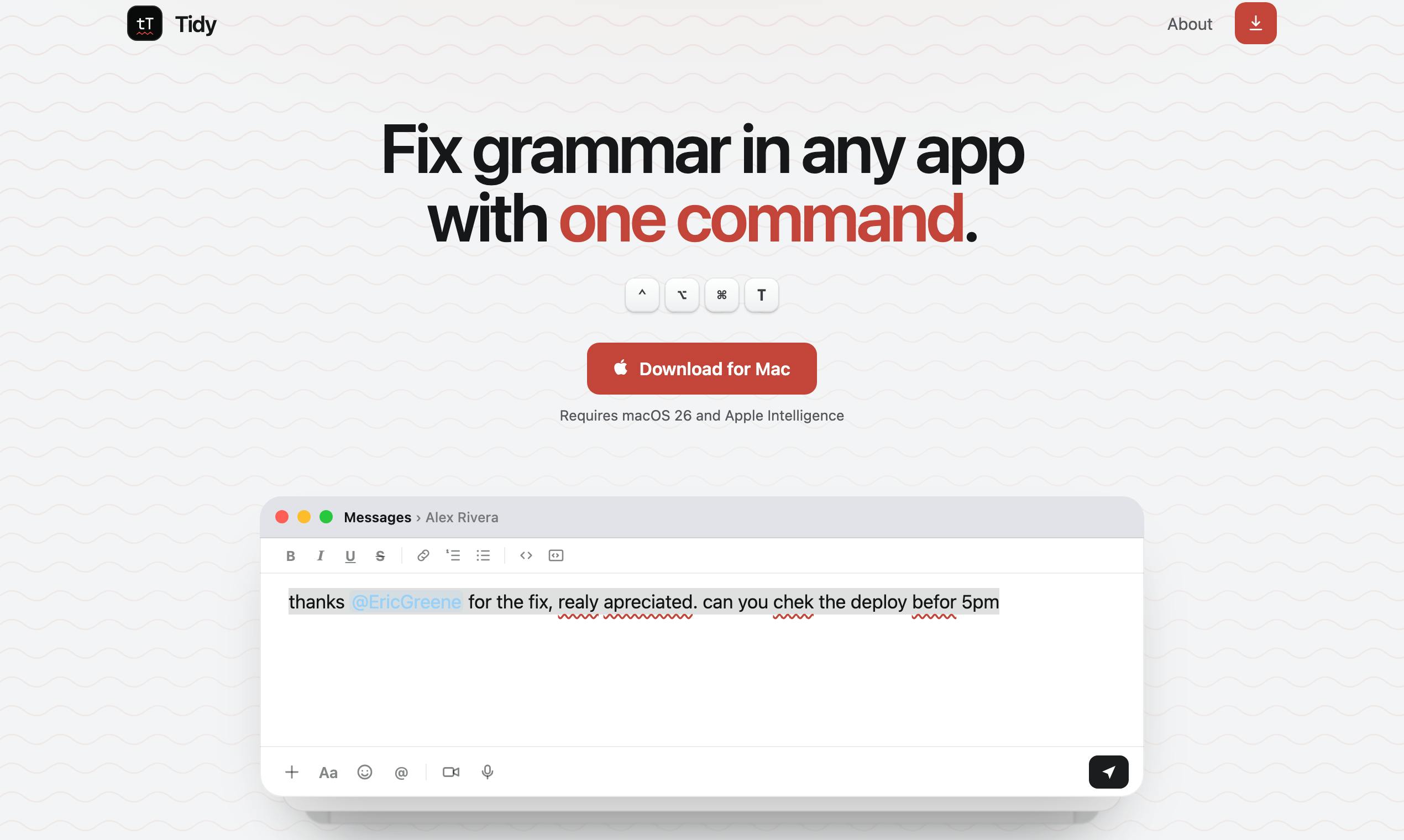
Tidy is one shortcut that behaves the same everywhere. Select text, press ⌃⌥⌘T, and the corrected version fixes everything in one go, in place.
The second shortcut came later. I was collaborating on documents where whole paragraphs had obviously been AI generated. Selecting the guilty paragraph and pressing ⌃⌥⌘S rewrites it, ruthlessly 'de-slopping' back to it's core truth.
The app runs on the Apple Intelligence local model built into macOS. You might have to turn it on if you haven't already (nobody has by the way). Nothing you select leaves your machine, no API keys, its free fast and local.
It needs macOS 26 with Apple Intelligence. Happy to answer anything.
Also, have you tested at all with the new Foundation models coming to iOS 27?