Hermes Agent 教程:用 Bot Screen 让 bot 拥有桌面并在登录时人工接管
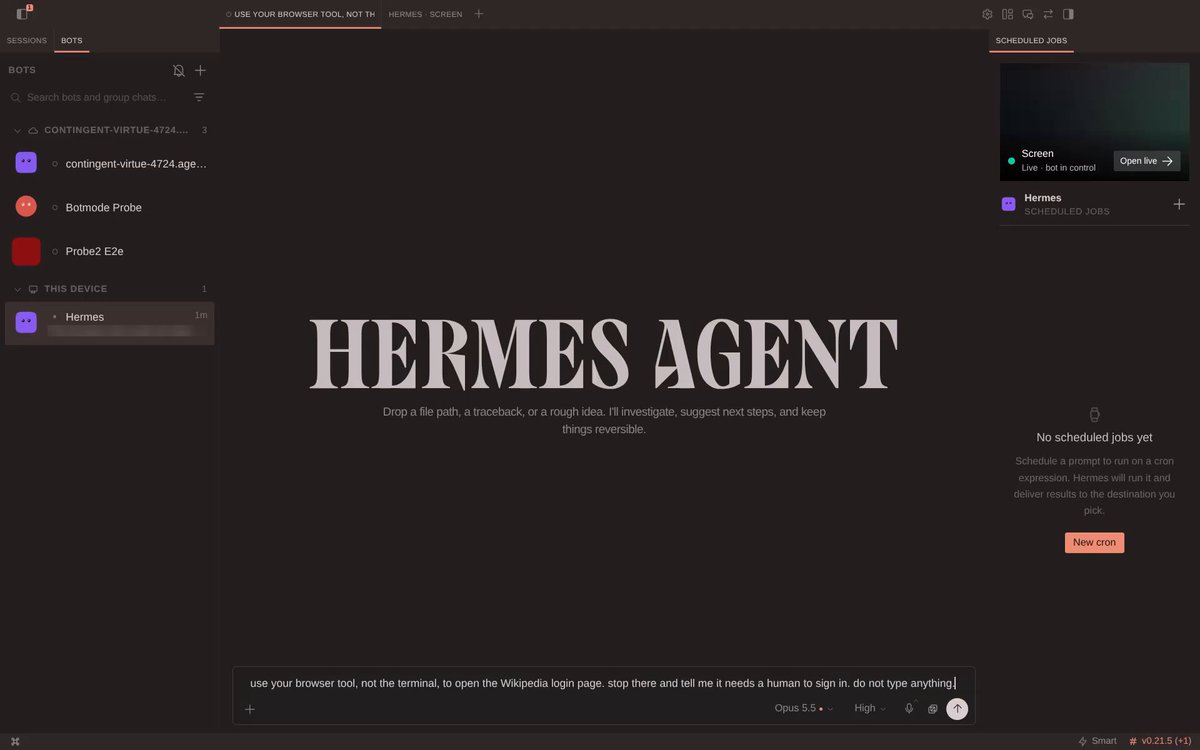
RT @witcheer:如何使用 Hermes Agent 中的 Bot Screen:你的 bot 会拥有自己的桌面,当它遇到登录环节时你就能介入。
在运行 Hermes 网关的那台 Linux 机器上:
1. 安装该屏幕:`hermes computer-use screen install`
2. 让 bot 的浏览器显示在它上面:`hermes config set browser.headed true`
3. 在 Hermes Desktop 中:Bots,右键点击你的 bot,选择 Open Screen,然后点 Start
4. 让它在其浏览器中打开一个登录页面,并在登录处停下
5. 当它停下时,点击 Take over 并完成登录
6. 点击 Hand back,然后告诉它继续
bot 会为之后的会话保留该登录状态,直到网站使其过期。
在运行 Hermes 网关的那台 Linux 机器上:
1. 安装该屏幕:`hermes computer-use screen install`
2. 让 bot 的浏览器显示在它上面:`hermes config set browser.headed true`
3. 在 Hermes Desktop 中:Bots,右键点击你的 bot,选择 Open Screen,然后点 Start
4. 让它在其浏览器中打开一个登录页面,并在登录处停下
5. 当它停下时,点击 Take over 并完成登录
6. 点击 Hand back,然后告诉它继续
bot 会为之后的会话保留该登录状态,直到网站使其过期。