So Trama has no visual editor at all. You press Cmd+Option+X anywhere on your Mac, describe what you repeat in your own language — English, Portuguese, Spanish, Japanese, ten in total — and it builds the automation, shows you the steps in readable language, and runs it in the background on whatever trigger fits: clipboard, a schedule, a screenshot, a file change, an incoming email.
PH 用户
Shortcuts always made me feel like I failed a programming exam, so describing the thing in my own words is the version of automation I've been waiting for. The notices-what-you-repeat part is the bit I need explained though: what is it watching to spot the repetition, and does any of that leave my Mac? That's the question my whole team will ask before I'm allowed to install it.
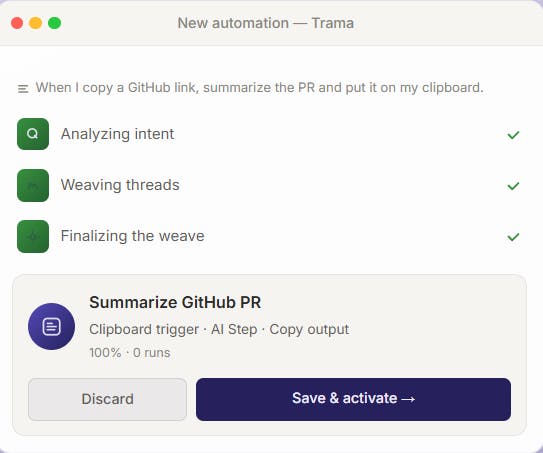
your Mac, describe what you repeat in your own language — English,
Portuguese, Spanish, Japanese, ten in total — and it builds the automation,
shows you the steps in readable language, and runs it in the background on
whatever trigger fits: clipboard, a schedule, a screenshot, a file change,
an incoming email.