We built Muse because most bookmark tools today are another subscription, and even then they only do half the job. Links get saved neatly, but images, screenshots and video end up treated as an afterthought. We wanted one library, on your Mac, that treats everything you save the same way and finds it again in seconds, without a monthly bill.
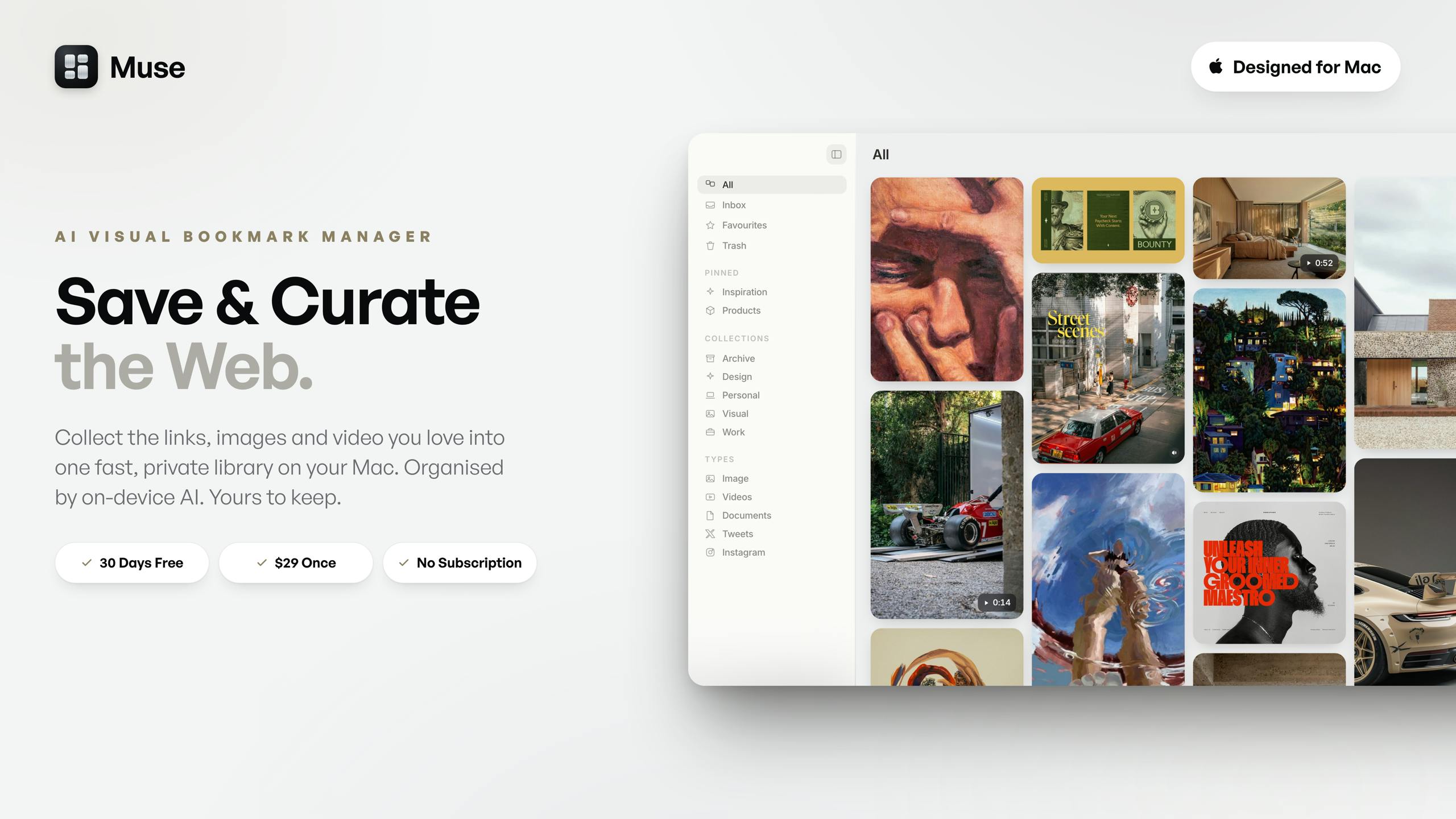
Muse is a private library on your Mac for everything you collect: images, screenshots, links, video and notes, all in one place, searchable from the moment you save it.
A few things we are proud of:
- Collect from anywhere. Drag, paste, screenshot or right click, from any app or web page, and it is saved instantly. - Call up Muse from any app with Command Shift K to search, open or file something, without ever bringing the window forward. Your whole library, wherever you are. - Turn on X Bookmarks and everything you bookmark on X gets pulled into Muse automatically, no exporting, no copy and paste. - On device AI reads every image, so it is tagged and organised without you touching it. - Search by what you remember, even a vague description like dark moody UI, or by colour alone. - Muse Vision finds visually similar images from across the web, without ever leaving the app. - Nest collections as deep as you like, and file one item into as many as you need. - Import your existing library in one click from Eagle, Raindrop, CSV, browser bookmarks or a Pinterest export, folders intact. - Your library sits in a real, visible folder on your Mac. Open it in Finder, export it, back it up, whenever you like.
Muse is local by default: no account, no cloud database, and it works fully offline. Two features are the exception, and both are optional: Muse Vision searches the web for similar images, and the AI art prompt tool uses your own Claude key, only if you choose to turn either on.
Free for 30 days with every feature unlocked, no card required. Then a one time $29, no subscription, ever.
Would love to hear what you think, and happy to answer anything below.
PH 用户
A one-time purchase Mac app that consolidates bookmarks, visuals, and video is exactly the kind of thing I keep looking for. No subscription lock-in. One question: does Muse store the collection locally, or is there a cloud backend? Matters a lot for switching machines.
PH 用户
I like the idea and it seems very well executed.
I will mention what I would like different, if that could be useful to you: - Video. You make a more than 6 minute video. It is well done and well explained with a lot of detail. But I would like to have a very short first video of 1 minute or less. We are all so busy, here at PH have a lot of interesting things to see. I need something short to know if I want to go deeper. You could have a more detailed video in your site for the people who already decided to buy or try the product. - Problem-solution. You indirectly explained but for me it is not clear, explicit at first site what is the problem you try to solve. I need to know the problem first to decide if I want to spend more time first and some money later on something.
PH 用户
The automatic tagging and quick retrieval sound really useful.
PH 用户
cool! suuuper excited to test it out, looks very clean. congrats on the launch! (the drop ring doesnt appear for me in chrome, anything i'm missing?)
We built Muse because most bookmark tools today are another subscription, and even then they only do half the job. Links get saved neatly, but images, screenshots and video end up treated as an afterthought. We wanted one library, on your Mac, that treats everything you save the same way and finds it again in seconds, without a monthly bill.
Muse is a private library on your Mac for everything you collect: images, screenshots, links, video and notes, all in one place, searchable from the moment you save it.
A few things we are proud of:
- Collect from anywhere. Drag, paste, screenshot or right click, from any app or web page, and it is saved instantly.
- Call up Muse from any app with Command Shift K to search, open or file something, without ever bringing the window forward. Your whole library, wherever you are.
- Turn on X Bookmarks and everything you bookmark on X gets pulled into Muse automatically, no exporting, no copy and paste.
- On device AI reads every image, so it is tagged and organised without you touching it.
- Search by what you remember, even a vague description like dark moody UI, or by colour alone.
- Muse Vision finds visually similar images from across the web, without ever leaving the app.
- Nest collections as deep as you like, and file one item into as many as you need.
- Import your existing library in one click from Eagle, Raindrop, CSV, browser bookmarks or a Pinterest export, folders intact.
- Your library sits in a real, visible folder on your Mac. Open it in Finder, export it, back it up, whenever you like.
Muse is local by default: no account, no cloud database, and it works fully offline. Two features are the exception, and both are optional: Muse Vision searches the web for similar images, and the AI art prompt tool uses your own Claude key, only if you choose to turn either on.
Free for 30 days with every feature unlocked, no card required. Then a one time $29, no subscription, ever.
Would love to hear what you think, and happy to answer anything below.
I will mention what I would like different, if that could be useful to you:
- Video. You make a more than 6 minute video. It is well done and well explained with a lot of detail. But I would like to have a very short first video of 1 minute or less. We are all so busy, here at PH have a lot of interesting things to see. I need something short to know if I want to go deeper. You could have a more detailed video in your site for the people who already decided to buy or try the product.
- Problem-solution. You indirectly explained but for me it is not clear, explicit at first site what is the problem you try to solve. I need to know the problem first to decide if I want to spend more time first and some money later on something.