Databox CLI 是面向数据团队的终端分析平台,支持用 AI 编码智能体自动创建数据源、指标并编排分析工作流。
热门评论
PH 用户
Hi Product Hunt! 👋
I’m Tadej from Databox. Today we’re launching Databox CLI, bringing Databox directly into your terminal.
For most people, Databox lives in a browser tab. You log in, check dashboards, and manage your analytics in the app. Meanwhile, teams increasingly use scripts, data pipelines, CI jobs, and AI coding agents to move data between systems, configure tools, and automate repetitive tasks.
Until now, bringing Databox into those workflows meant working directly with our API, writing and maintaining custom code, handling authentication, retries, and errors, and checking that everything worked as expected.
This is exactly the kind of friction we want to remove as part of our broader vision to open up the Databox platform, making it easier for people and AI agents to work with Databox through the tools they already use.
That's why we built Databox CLI. It brings the capabilities of our public API directly into your terminal, so you can build dashboards and metrics, manage your data, and automate repetitive tasks in Databox using simple commands.
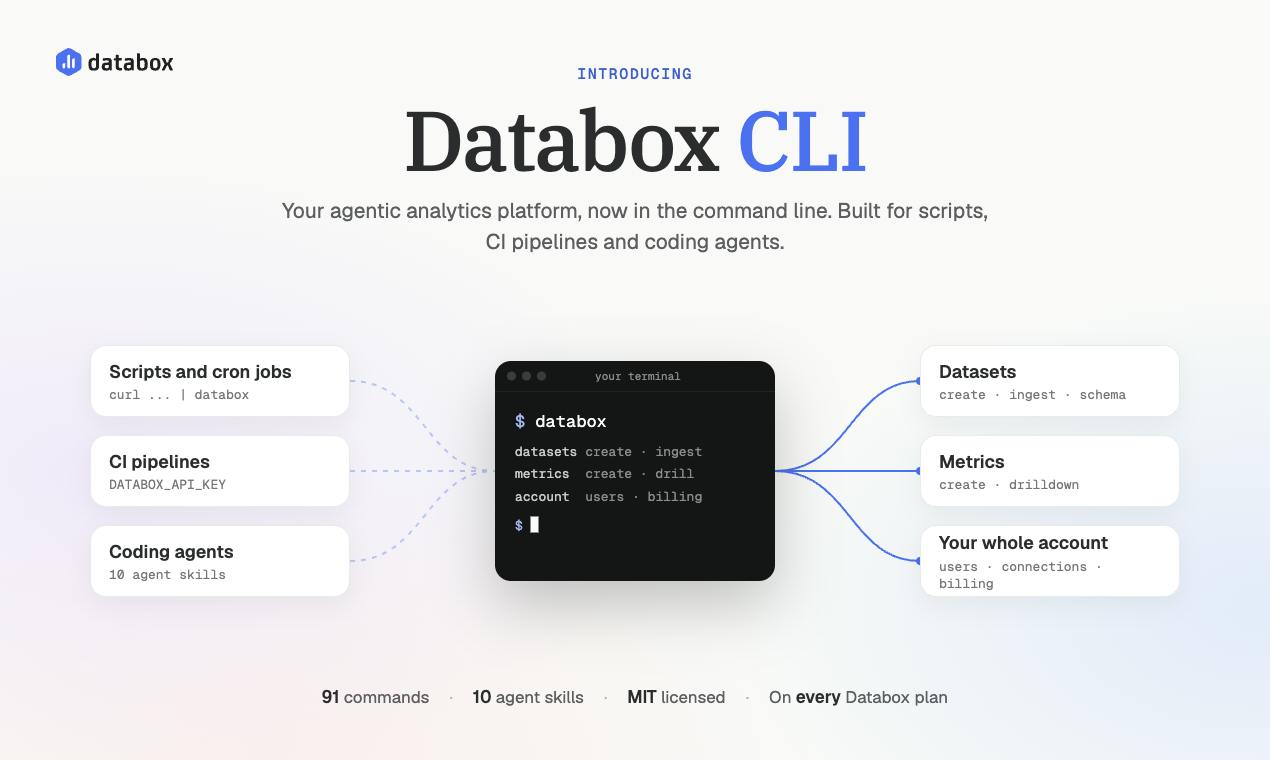
Here’s what you can do with it:Create datasets with defined schemas: set column types and primary keys, and validate records before they’re ingested. Bring in data from anywhere: Load JSON data from files, scripts, or directly from pipelines. For example: curl -s https://api.internal/export | databox dataset ingest DATASET_IDVerify every ingestion: Confirm that your data arrived successfully and see exactly what went wrong if it didn't.Build metrics: Create metrics on top of your datasets and trace where the data comes from.Manage your Databox account: Work with users, permissions, databoards, and connections.That's 91 commands across 14 areas, with a 1:1 match to the Databox public API.
And you can let AI coding agents do the work for you, too.
Databox CLI comes with 10 ready-to-use agent skills for Claude Code, Cursor, Codex, and other compatible coding agents. You can ask your agent to set up a dataset, load data, verify the results, and build metrics, and it can execute those steps for you.
We've also built in safeguards for reliable automation. Commands support structured JSON output with --json, clear exit codes, and errors that explain what went wrong. Idempotency keys make retries safe, and destructive actions require an explicit --force flag.
Want to try it?
Getting started takes three commands:
npm install -g databox-cli
databox auth login
databox account list
To add the agent skills: npx skills add databox/databox-cli --skill '*'
Databox CLI is available on all Databox plans and is open source under the MIT license.: github.com/databox/databox-cli, available as a node npm package https://www.npmjs.com/package/databox-cli.
I’ll be here in the comments all day. I'd love to hear what you'd build or automate with Databox CLI. Share your use case, and I'll help you figure out the commands to make it happen. 🙏
PH 用户
Been looking forward to this one team - awesome work, especially for going full agentic.
My first use case with this (as someone in sales) is to use my agent to automate my outreach cadence to people from product signals I have in the database - work that is now being done manually (with great results), but can free up so much time for my AEs to work on the meetings they have.
PH 用户
Good to see a proper CLI with the agent skills already in the box. I've ended up giving my agents command line tools against the API for most things, so this is pretty much how I'd want to hook an agent up to analytics. Did the 91 commands come straight from the API spec?
PH 用户
Hey Product Hunt 👋
AI agents are great at writing code. Things get interesting when you give them the tools to do the work.
Databox CLI is that toolset for analytics. Tell your agent “set up our orders data, load last quarter, and build the revenue metrics.” It does the work, checks it, and reports back. You don’t write any custom API integration.
What’s inside:91 commands, a 1:1 mirror of our public API10 ready-to-use skills for Claude Code, Cursor, Codex and other coding agentsSchema validation on every record and explicit confirmation for destructive commands, because you’re trusting an agent with real dataThis is the third step in opening Databox up. First came the public API, then MCP, and now the CLI.
My question for you: if your agent could run your analytics, what’s the first thing you’d hand over?
PH 用户
I tend to look at CLI tools as something that is going to be used by agents even more than humans. A few small things here matter a lot once an agent is the one calling it:--json on every command, so agents never have to scrape textdocumented exit codes, so a failed call reads as failed instead of ambiguous--all on list commands so you (or your agent) don't have to write your own paging loopidempotency keys on ingest so a retry can't ever double your data (this one is a real battle scar)You can point Claude Code at it, have it push a CSV into a dataset, and if it hits a rate limit halfway it can just retry with the same idempotency key without doubling anything.
I’m Tadej from Databox. Today we’re launching Databox CLI, bringing Databox directly into your terminal.
For most people, Databox lives in a browser tab. You log in, check dashboards, and manage your analytics in the app. Meanwhile, teams increasingly use scripts, data pipelines, CI jobs, and AI coding agents to move data between systems, configure tools, and automate repetitive tasks.
Until now, bringing Databox into those workflows meant working directly with our API, writing and maintaining custom code, handling authentication, retries, and errors, and checking that everything worked as expected.
This is exactly the kind of friction we want to remove as part of our broader vision to open up the Databox platform, making it easier for people and AI agents to work with Databox through the tools they already use.
That's why we built Databox CLI. It brings the capabilities of our public API directly into your terminal, so you can build dashboards and metrics, manage your data, and automate repetitive tasks in Databox using simple commands.
Here’s what you can do with it:Create datasets with defined schemas: set column types and primary keys, and validate records before they’re ingested. Bring in data from anywhere: Load JSON data from files, scripts, or directly from pipelines. For example: curl -s https://api.internal/export | databox dataset ingest DATASET_IDVerify every ingestion: Confirm that your data arrived successfully and see exactly what went wrong if it didn't.Build metrics: Create metrics on top of your datasets and trace where the data comes from.Manage your Databox account: Work with users, permissions, databoards, and connections.That's 91 commands across 14 areas, with a 1:1 match to the Databox public API.
And you can let AI coding agents do the work for you, too.
Databox CLI comes with 10 ready-to-use agent skills for Claude Code, Cursor, Codex, and other compatible coding agents. You can ask your agent to set up a dataset, load data, verify the results, and build metrics, and it can execute those steps for you.
We've also built in safeguards for reliable automation. Commands support structured JSON output with --json, clear exit codes, and errors that explain what went wrong. Idempotency keys make retries safe, and destructive actions require an explicit --force flag.
Want to try it?
Getting started takes three commands:
npm install -g databox-cli
databox auth login
databox account list
To add the agent skills: npx skills add databox/databox-cli --skill '*'
Databox CLI is available on all Databox plans and is open source under the MIT license.: github.com/databox/databox-cli, available as a node npm package https://www.npmjs.com/package/databox-cli.
I’ll be here in the comments all day. I'd love to hear what you'd build or automate with Databox CLI. Share your use case, and I'll help you figure out the commands to make it happen. 🙏
My first use case with this (as someone in sales) is to use my agent to automate my outreach cadence to people from product signals I have in the database - work that is now being done manually (with great results), but can free up so much time for my AEs to work on the meetings they have.
AI agents are great at writing code. Things get interesting when you give them the tools to do the work.
Databox CLI is that toolset for analytics. Tell your agent “set up our orders data, load last quarter, and build the revenue metrics.” It does the work, checks it, and reports back. You don’t write any custom API integration.
What’s inside:91 commands, a 1:1 mirror of our public API10 ready-to-use skills for Claude Code, Cursor, Codex and other coding agentsSchema validation on every record and explicit confirmation for destructive commands, because you’re trusting an agent with real dataThis is the third step in opening Databox up. First came the public API, then MCP, and now the CLI.
My question for you: if your agent could run your analytics, what’s the first thing you’d hand over?