将 iPhone/iPad 变为 Mac 和 AI 代理的触觉控制台,可监控 Codex、Claude 等代理,支持语音听写,面向 AI 开发者。
热门评论
PH 用户
Hi Product Hunt! I built CTRL Micro because I loved the idea of a physical control deck for AI work, but options like Codex Micro are out of stock, and I wanted something I could use immediately on the iPhone already in my pocket.
What began as tactile shortcuts became a fuller companion for Mac and agent workflows. CTRL Micro lets you:
• Monitor Codex, Claude, and Cursor and feel when a task needs attention • Open tasks, read responses, answer prompts, and act on approvals • See your Mac in a live Desktop View • Move the pointer, scroll, click, and type with Trackpad and Keyboard surfaces • Dictate into desktop apps with transcription processed locally on your Mac • Connect nearby or through end-to-end encrypted Remote Anywhere
Privacy guided the architecture. Your controller pairs with one or multiple Macs, no CTRL Micro account is required. Screen, input, command, and dictation content are processed locally and encrypted.
The iPhone and iPad app is live on the App Store, and the Mac Host is available from ctrlmicro.com. I would especially love feedback on the Game Boy-style Desktop View and which controls you keep reaching for.
PH 用户
Using the Taptic Engine instead of waiting on deck hardware is clever. I work on Mac apps all day, so a spare iPhone as a control surface fits neatly. Does the haptic pattern differ when an agent finishes vs fails?
PH 用户
Hi, I like the idea looks great. Is it free? Couldn’t read anything about that point. Which protocol is in use for remote connection?
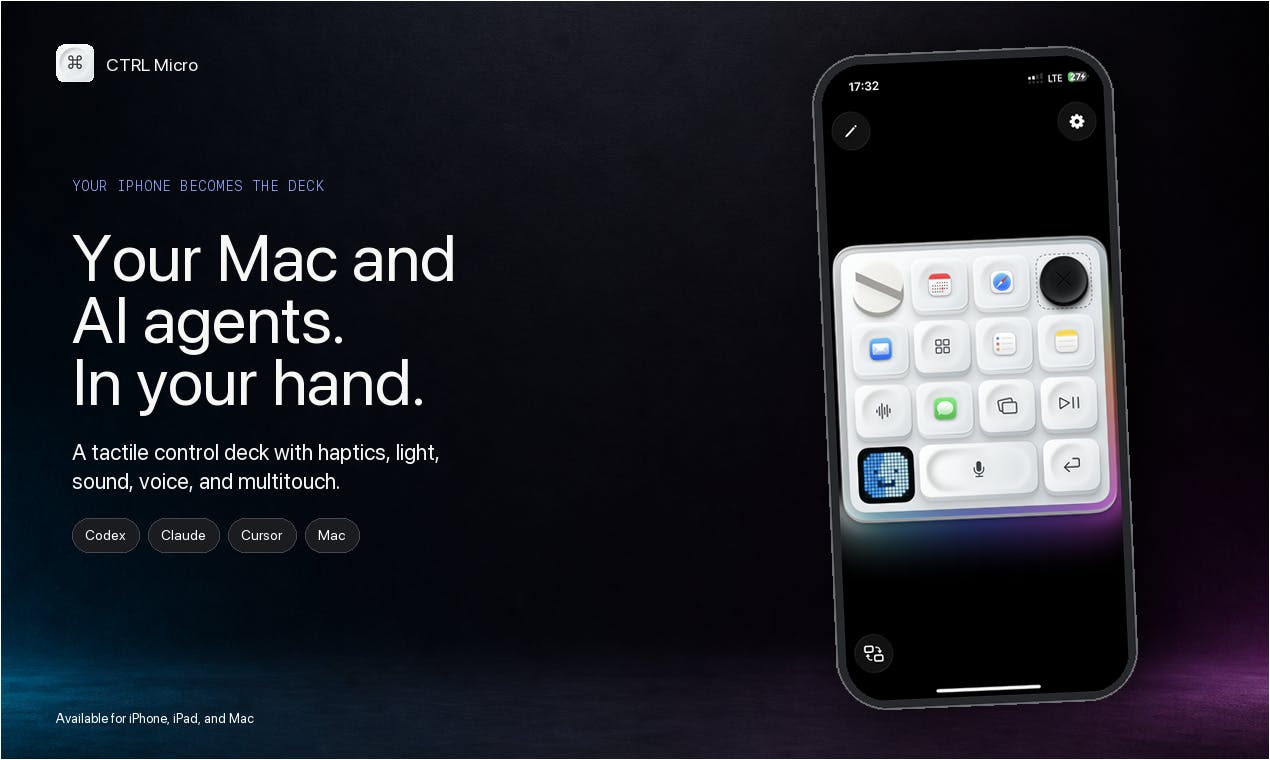
What began as tactile shortcuts became a fuller companion for Mac and agent workflows. CTRL Micro lets you:
• Monitor Codex, Claude, and Cursor and feel when a task needs attention
• Open tasks, read responses, answer prompts, and act on approvals
• See your Mac in a live Desktop View
• Move the pointer, scroll, click, and type with Trackpad and Keyboard surfaces
• Dictate into desktop apps with transcription processed locally on your Mac
• Connect nearby or through end-to-end encrypted Remote Anywhere
Privacy guided the architecture. Your controller pairs with one or multiple Macs, no CTRL Micro account is required. Screen, input, command, and dictation content are processed locally and encrypted.
The iPhone and iPad app is live on the App Store, and the Mac Host is available from ctrlmicro.com.
I would especially love feedback on the Game Boy-style Desktop View and which controls you keep reaching for.
Is it free? Couldn’t read anything about that point.
Which protocol is in use for remote connection?