I'm Ravi, co-founder of Scalekit. Today we're launching AgentKit, an MCP gateway that handles auth and tool-calling for AI agents in production.
Why now? Over the last year, wiring an agent to a tool got easy. MCP standardized the interface, and any agent can now call Gmail or Salesforce after an afternoon of work.
But the tool call is only the surface. Once an agent ships to real users, everything underneath it shows up:whose credentials each call executes withwhich tools each agent should have in contextthe internal systems no catalog coverswhat happens when an upstream API pushes backwho's accountable for every actionThat layer decides whether an agent makes it to production. It's what we built AgentKit for.Try it free: scalekit.com. The free tier includes 10,000 tool calls a month and all 600+ connectors. Make your first tool call from the dashboard, or start from your terminal with npx @ scalekit-inc/cli setup.Here's what it looks like in practice.
Say you're shipping a sales agent inside your product. A rep types: "Prep me for the Acme renewal. Pull the deal, the last three email threads, what the team said in Slack, when we last met them, and how much they've used the product this quarter."
Four apps, one ask. Getting it working for one rep in a demo is easy. Here's what's underneath when it runs for every rep at every customer:
Thousands of OAuth grants, not four. 40 customers × 30 reps × Salesforce, Gmail, Slack and Calendar = 4,800 connected accounts. Each needs its tokens stored, isolated per customer, and refreshed before they expire mid-run. → AgentKit manages connected accounts end to end. Users authorize through an auth link you surface in your app. Tokens live in a per-tenant AES-256 vault, refresh automatically, and are injected at execution time. They never touch your code, logs, or prompts.Every call has to execute as the right user. The agent should see what that rep can see at that customer, and nothing more. Not a shared service account with org-wide access to every inbox. → Every tool call executes with the end user's own credentials, within the scopes they granted.Every tool definition costs context. Gmail alone exposes ~30 tools; four apps put over a hundred on the table. At ~200 tokens per definition, 40 tools burn ~8,000 tokens before the agent does any work, and tool selection gets worse as the list grows. Your prep agent needs about ten tools. Your outbound agent needs a different ten. → Virtual MCP Servers let you compose a tool set per agent role, across connectors. Each role gets one static MCP URL; you mint a short-lived session token per user per run. Smaller context and least-privilege access: ten tool definitions (~2,000 tokens) instead of over a hundred (20,000+).The data you need has no connector. Usage lives in your customer's internal analytics service. No catalog covers it, so you'd build that integration yourself, auth included. → Define it as a custom connector (OAuth 2.0, API key, bearer token, RSA or basic auth), or point AgentKit at a remote MCP server. It runs on the same gateway with the same credential handling and logs as the 600+ built-in connectors.It has to hold up and be auditable. Rate limits, timeouts, upstream errors the model can't act on. Then a deal stage changes and someone asks whether the rep did it or the agent did. → Retries and rate limits are handled on every call. Every call is logged with agent, user, tool and response, and logs stream to Datadog or Splunk.None of this shows up in a demo. All of it shows up in production. AgentKit handles that layer: 30,000+ tools across 600+ apps behind one MCP gateway. And with Triggers, an agent can start on its own the moment an email lands.
Python and Node SDKs. Works with the Anthropic and OpenAI SDKs, LangChain, Google ADK, Vercel AI SDK, Mastra, and Claude Code. You keep your framework and backend.
Which of these five has slowed your agent down the most?
PH 用户
Satya here, co-founder of Scalekit. Some context on why we’re building this. Before Scalekit, we built Pipemonk, an iPaaS that connected SaaS apps and kept data in sync. A developer set it up once and it ran on a schedule.
Agents broke that model. They act on a user’s behalf and decide what to call on every run, so the hard part moved from mapping schemas to runtime access control.
What we kept hearing from teams shipping agents: access that expires mid-run, and permissions broader than the task needs. AgentKit handles that layer, with every call executed as the end user within the scopes they granted.
If you’re building agents in production that need secure access to third-party apps, happy to compare notes here or in DMs.
PH 用户
Excited about this launch. Congratulations team! Scalekit helped us with its coverage of some of the emerging tools that are not offered by other vendors. With the agentic capability it'll add wings to their powerful platform. Good luck.
PH 用户
Congrats on the launch @satya_deva549 @shrimithranr !!!
We use Scalekit internally for Documentation.AI, and it's been a great experience so far! We initially spent weeks building our first integration in-house, but with Scalekit, we got five integrations up and running in just a few hours. It saves us a lot of time by handling OAuth flows and credential management. Their engineering team has also been super helpful whenever we've had questions about scopes or connectors.
PH 用户
Congrats @satya_deva549,@ravibits and the Scalekit team! 🎉
We use Scalekit for our Documentation.AI agents (automations and our self-updating docs), and it’s been rock solid highly recommended. Good luck!
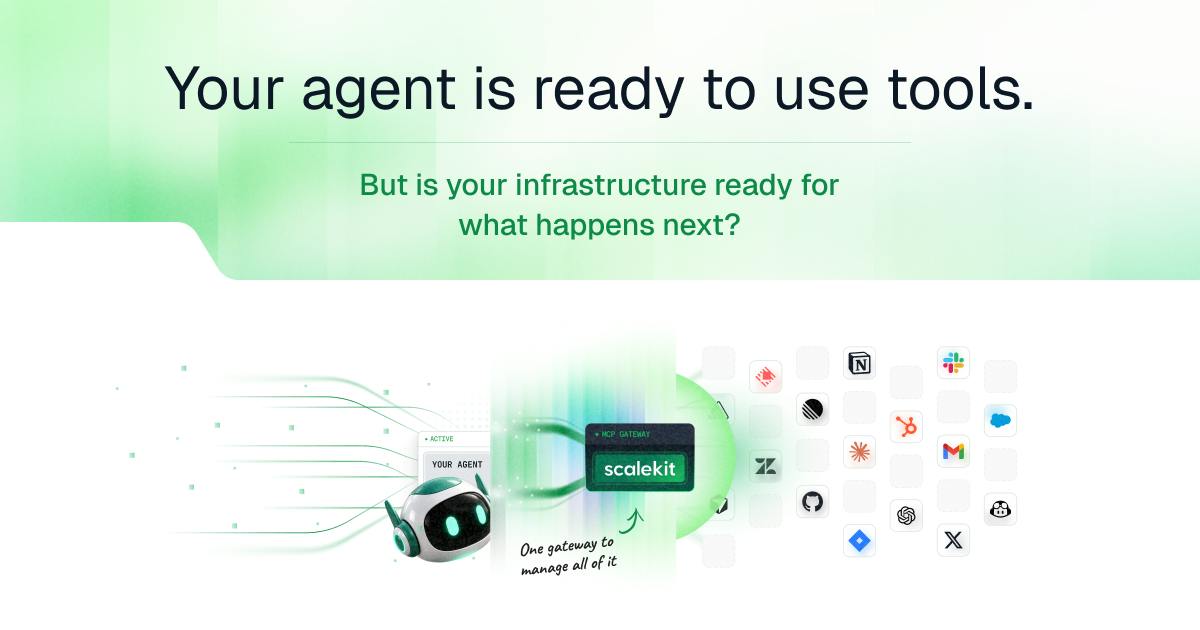
I'm Ravi, co-founder of Scalekit. Today we're launching AgentKit, an MCP gateway that handles auth and tool-calling for AI agents in production.
Why now? Over the last year, wiring an agent to a tool got easy. MCP standardized the interface, and any agent can now call Gmail or Salesforce after an afternoon of work.
But the tool call is only the surface. Once an agent ships to real users, everything underneath it shows up:whose credentials each call executes withwhich tools each agent should have in contextthe internal systems no catalog coverswhat happens when an upstream API pushes backwho's accountable for every actionThat layer decides whether an agent makes it to production. It's what we built AgentKit for.Try it free: scalekit.com. The free tier includes 10,000 tool calls a month and all 600+ connectors. Make your first tool call from the dashboard, or start from your terminal with npx @ scalekit-inc/cli setup.Here's what it looks like in practice.
Say you're shipping a sales agent inside your product. A rep types: "Prep me for the Acme renewal. Pull the deal, the last three email threads, what the team said in Slack, when we last met them, and how much they've used the product this quarter."
Four apps, one ask. Getting it working for one rep in a demo is easy. Here's what's underneath when it runs for every rep at every customer:
Thousands of OAuth grants, not four. 40 customers × 30 reps × Salesforce, Gmail, Slack and Calendar = 4,800 connected accounts. Each needs its tokens stored, isolated per customer, and refreshed before they expire mid-run. → AgentKit manages connected accounts end to end. Users authorize through an auth link you surface in your app. Tokens live in a per-tenant AES-256 vault, refresh automatically, and are injected at execution time. They never touch your code, logs, or prompts.Every call has to execute as the right user. The agent should see what that rep can see at that customer, and nothing more. Not a shared service account with org-wide access to every inbox. → Every tool call executes with the end user's own credentials, within the scopes they granted.Every tool definition costs context. Gmail alone exposes ~30 tools; four apps put over a hundred on the table. At ~200 tokens per definition, 40 tools burn ~8,000 tokens before the agent does any work, and tool selection gets worse as the list grows. Your prep agent needs about ten tools. Your outbound agent needs a different ten. → Virtual MCP Servers let you compose a tool set per agent role, across connectors. Each role gets one static MCP URL; you mint a short-lived session token per user per run. Smaller context and least-privilege access: ten tool definitions (~2,000 tokens) instead of over a hundred (20,000+).The data you need has no connector. Usage lives in your customer's internal analytics service. No catalog covers it, so you'd build that integration yourself, auth included. → Define it as a custom connector (OAuth 2.0, API key, bearer token, RSA or basic auth), or point AgentKit at a remote MCP server. It runs on the same gateway with the same credential handling and logs as the 600+ built-in connectors.It has to hold up and be auditable. Rate limits, timeouts, upstream errors the model can't act on. Then a deal stage changes and someone asks whether the rep did it or the agent did. → Retries and rate limits are handled on every call. Every call is logged with agent, user, tool and response, and logs stream to Datadog or Splunk.None of this shows up in a demo. All of it shows up in production. AgentKit handles that layer: 30,000+ tools across 600+ apps behind one MCP gateway. And with Triggers, an agent can start on its own the moment an email lands.
Python and Node SDKs. Works with the Anthropic and OpenAI SDKs, LangChain, Google ADK, Vercel AI SDK, Mastra, and Claude Code. You keep your framework and backend.
Which of these five has slowed your agent down the most?
Agents broke that model. They act on a user’s behalf and decide what to call on every run, so the hard part moved from mapping schemas to runtime access control.
What we kept hearing from teams shipping agents: access that expires mid-run, and permissions broader than the task needs. AgentKit handles that layer, with every call executed as the end user within the scopes they granted.
If you’re building agents in production that need secure access to third-party apps, happy to compare notes here or in DMs.
We use Scalekit internally for Documentation.AI, and it's been a great experience so far! We initially spent weeks building our first integration in-house, but with Scalekit, we got five integrations up and running in just a few hours. It saves us a lot of time by handling OAuth flows and credential management. Their engineering team has also been super helpful whenever we've had questions about scopes or connectors.
We use Scalekit for our Documentation.AI agents (automations and our self-updating docs), and it’s been rock solid highly recommended. Good luck!
也很高兴看到支持 Rocketlane MCP connector :D